Payment setup
Test a cross-border payment setup from checkout to refund
Use the current ShopingX payment screens to choose a provider, separate test and live credentials, verify callbacks, and reconcile six payment outcomes.
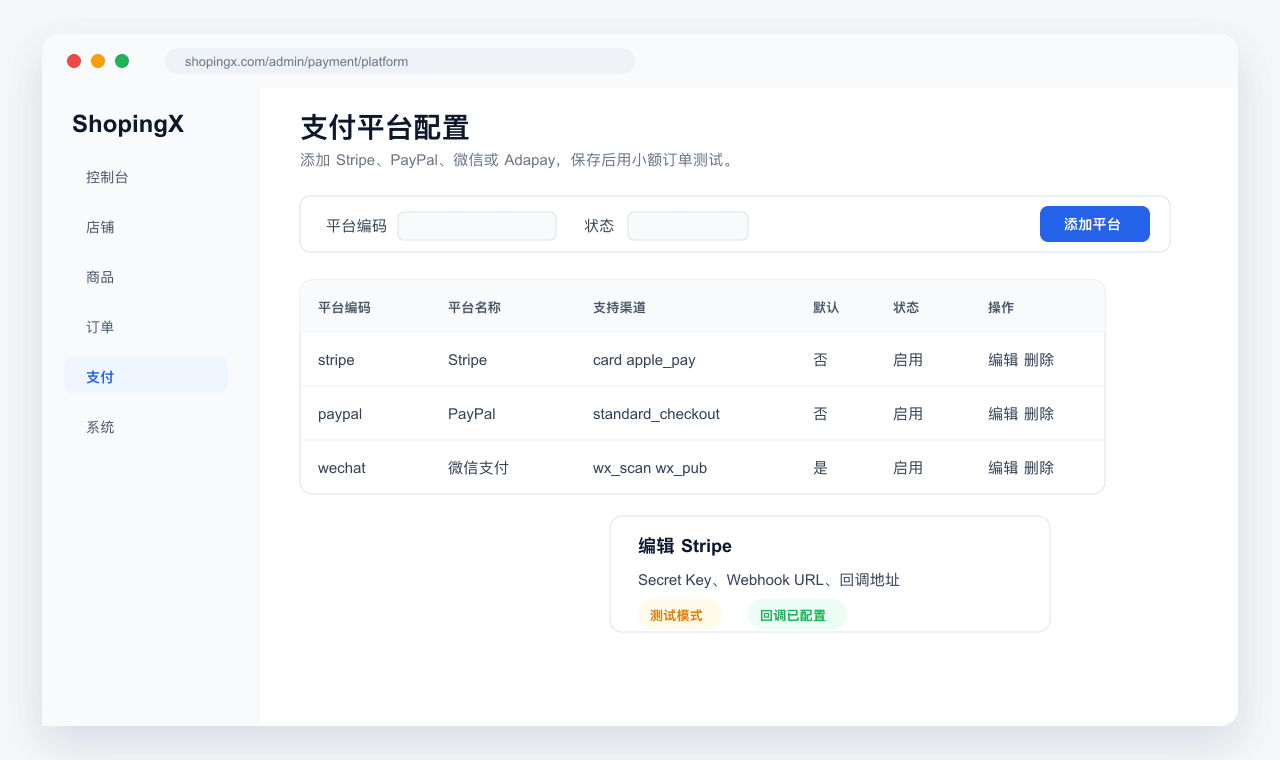
A green Enabled label does not prove that a payment setup works. The useful acceptance result is narrower: after a buyer pays, cancels, or requests a refund, the amount and state in ShopingX agree with the provider record.
The ShopingX Help Center currently has setup entries for WeChat Pay, Stripe, PayPal, Airwallex, and Adapay. That list describes platform integration points. It does not guarantee that every provider will onboard every merchant. Entity location, product category, settlement account, and risk checks belong to the provider. Start with one primary method for the first market and test it completely before adding a backup.
Make a provider decision sheet before entering credentials
Replace broad claims such as "popular overseas" with answers for the actual launch market:
- Can the merchant entity complete the provider's onboarding process?
- What currency does the buyer see, what currency reaches the provider, and what currency is settled?
- Who charges the transaction, refund, dispute, and foreign-exchange costs?
- Does checkout stay on the storefront, open a hosted page, or require a QR flow?
- Is a sandbox available, and which fields change when the account moves to live mode?
- Who owns refunds, disputes, reconciliation, and failed-order support after launch?
Do not enable a live method while those answers are missing. Provider articles can explain their own accounts, but they cannot describe fields that ShopingX does not expose. Use the current ShopingX payment help and the fields visible in the merchant admin as the product reference.
Keep test and live credentials separate
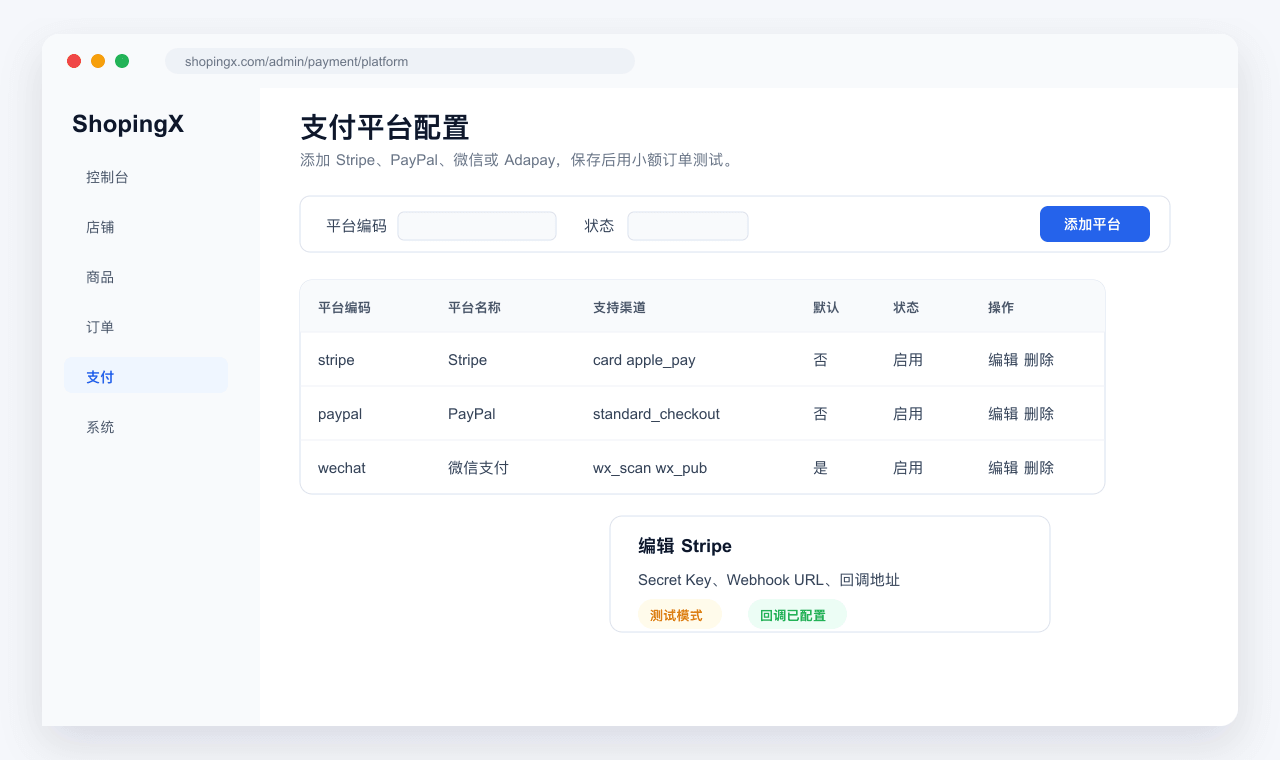
A Stripe setup commonly uses a publishable key, secret key, and webhook secret. PayPal uses a client ID and client secret and separates Sandbox from Live. Other providers use different fields, but the operating rules remain useful:
- Connect test credentials only to a test environment and live credentials only to the production store.
- Never paste secrets, private keys, or certificate bodies into an article, ticket screenshot, or source repository.
- Use the final HTTPS storefront domain for callbacks and return URLs. Recheck them after a domain change.
- Record who created each credential, where the secret is controlled, and when it should be rotated. Do not copy the secret itself into a handover sheet.
- Save the settings, leave the page, and open it again to confirm that the intended environment is active.
Stripe signs webhook events with an endpoint secret; the verification model is documented in Stripe webhooks. PayPal provides test merchant and buyer accounts through its Sandbox. For fields inside ShopingX, follow the product-specific Stripe setup guide or PayPal setup guide.
Run six orders, not one successful payment
Choose a real product with stable stock, a known price, and a shipping rule you have already checked. Then cover at least these outcomes:
- Successful payment. The buyer returns to a result page, the merchant order becomes paid, and the provider amount equals the order amount due.
- Buyer cancellation. Returning from the hosted payment page must not mark the unpaid order as paid.
- Declined or failed payment. Use a failure case supplied by the test environment and confirm that the buyer can retry or choose another available method.
- Duplicate callback. Re-delivering the same payment event must not add another payment or increase the order total.
- Full refund. The ShopingX refund record, provider refund, and order after-sales state should identify the same transaction.
- Delayed result. Close the browser before the return page completes, then use the merchant and provider records to determine the final state. A frontend message is not the source of truth.
For every case, keep the ShopingX order number, payment method, storefront currency, amount due, provider reference, expected result, actual result, and test time. Redact customer names, addresses, phone numbers, keys, and card data from screenshots. That evidence gives support staff something concrete to trace.
For a multi-store cart, reconcile each store separately. Coupons and free-shipping rules change the amount before the payment request is created. Verify the cart using the coupon test procedure and shipping-rate guide first. A provider can charge the exact amount it receives even when the earlier cart calculation is wrong.
Verify the callback in three places
A browser landing on a success page proves only that a redirect occurred. Final order state may depend on a server query or asynchronous webhook. During acceptance testing, compare:
- the result and order detail shown to the buyer;
- payment amount, state, and refund record in the ShopingX merchant admin;
- transaction state, currency, provider reference, and event history in the provider dashboard.
When the three views disagree, freeze the order number and time window. Check whether the callback arrived, whether its signature passed, and whether its amount and currency match. Do not immediately delete the order or rotate credentials to "try again." That destroys the cleanest evidence from the original failure.
Duplicate and delayed events deserve explicit tests because real networks retry. The safe outcome is idempotent: the same provider event can be processed again without creating a second paid amount, and a late success can be reconciled without relying on the buyer keeping a tab open.
Use a low-value live order before opening traffic
After sandbox acceptance, and where the merchant's compliance rules permit it, run one low-value purchase on the production domain with live credentials. Check the merchant name shown by the provider, currency, amount, return address, email notice, and merchant order. Then refund it through the intended operational process. Finance and support should both know where to find the provider reference.
The release record should name the primary method, fallback instruction, provider support route, internal owner, and condition for temporarily disabling the method. If failures rise, segment them by provider, device, currency, and error code before changing the storefront. If settlement looks wrong, separate ShopingX transaction fees from provider costs using the store fee calculation guide.
There is no universal "best gateway" in this guide. The defensible result is a tested payment path: six recorded outcomes, matching states across three systems, and one live purchase and refund completed on the production domain.